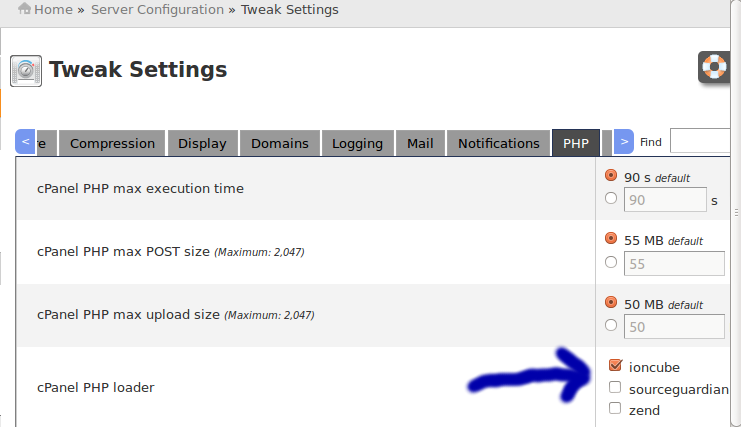
Installing IonCube for cPanel/WHM/Webmail Log into the WHM by going to your servers IP followed by /whm or :2087 On the left hand side click the ‘Tweak Settings’ link Click the PHP tab on the right hand side Find the
First Install cPanel on the new server after this give screen command If it works then OK ,but if did’nt work use now give screen command after that give ‘ll’ or ls and you will see the file as ‘latest’