Log in to the your cPanel. In the “Domains” section, click on the “Zone Editor” Icon. Select the domain where you need to change the MX records and then click on +MX Record. Enter the Priority and Destination settings into
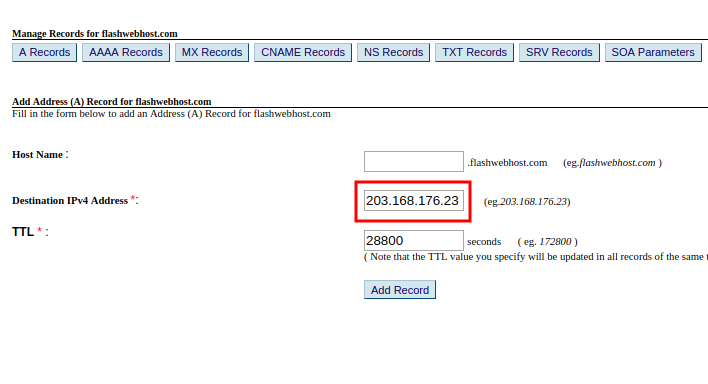
The first thing you’ll need to do to add an A Record is to make sure that you are using HostOnNet.com’s default nameservers (ns1.hostonnet.com, ns2.hostonnet.com, ns3.hostonnet.com and ns4.hostonnet.com). Once you are on our nameservers, follow the steps below: 1) Login
Authoritative name server is a name server that gives answers to your DNS queries such as mail server IP address or web site IP address (A resource record). An authoritative address lookup can be performed by specifying one of the
What is the location of DNS zone file in WHM Default location of zone file is /var/named. We have root access to the system in order to view the /var/named directory. We can add a new or change an existing
DNS convert human readable domain name to IP address. To find IP of a web site, you can use commands like nslookup, dig, ping etc.. How to verify name server IP address Check DNS Propagation Flush Cache with Google Public
resolv.conf is used by Linux servers for specifying DNS servers used to domain name resolution. Location of the file is Example In above example, google public name servers 8.8.8.8 will be used for DNS resolution. If you edit this file,
if your ISP have problem with DNS, you can use public dns for name resolution. Google Public DNS (Recommended) 8.8.8.8 8.8.4.4 http://code.google.com/speed/public-dns/ Level 3 Communications 4.2.2.2 4.2.2.4 4.2.2.6 OpenDNS.com 208.67.222.222 208.67.220.220 To add DNS server, take property of your LAN
I am running Apache on VMWare virtual machine running Fedora. Host machine is Windows 2003. On Fedora, i installed samba, so i can share files between Linux and Windows Host machine. Network is ok, but i could not get internet