HostOnNet Blog

Tag Archives: IP address

How To Setup Remote MySQL Connections With cPanel

Login to your cPanel. In the Databases section, click Remote MySQL. In the Host field, enter the IP address from where you want to access your databases. Click the Add Host button. You will then see a message stating the


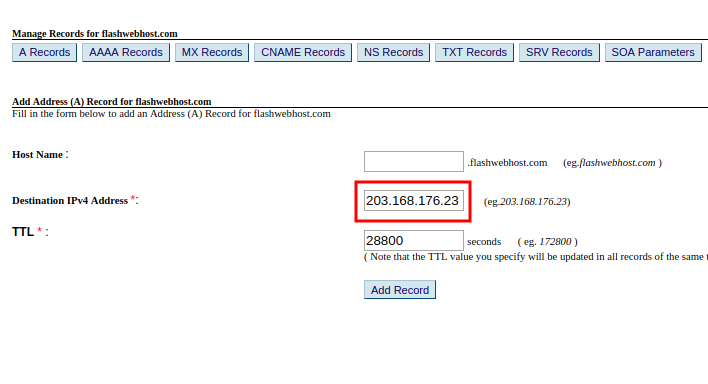
How to add A Record through domain control panel

The first thing you’ll need to do to add an A Record is to make sure that you are using HostOnNet.com’s default nameservers (ns1.hostonnet.com, ns2.hostonnet.com, ns3.hostonnet.com and ns4.hostonnet.com). Once you are on our nameservers, follow the steps below: 1) Login


Block IP in Windows 2003

1. Start > Run > Type mmc and click run 2. In the console select Add/Remove Snap-in from the File menu and click the Add button in the Standalone tab. 3. In the Add Standalone Snap-in dialog box select IP
