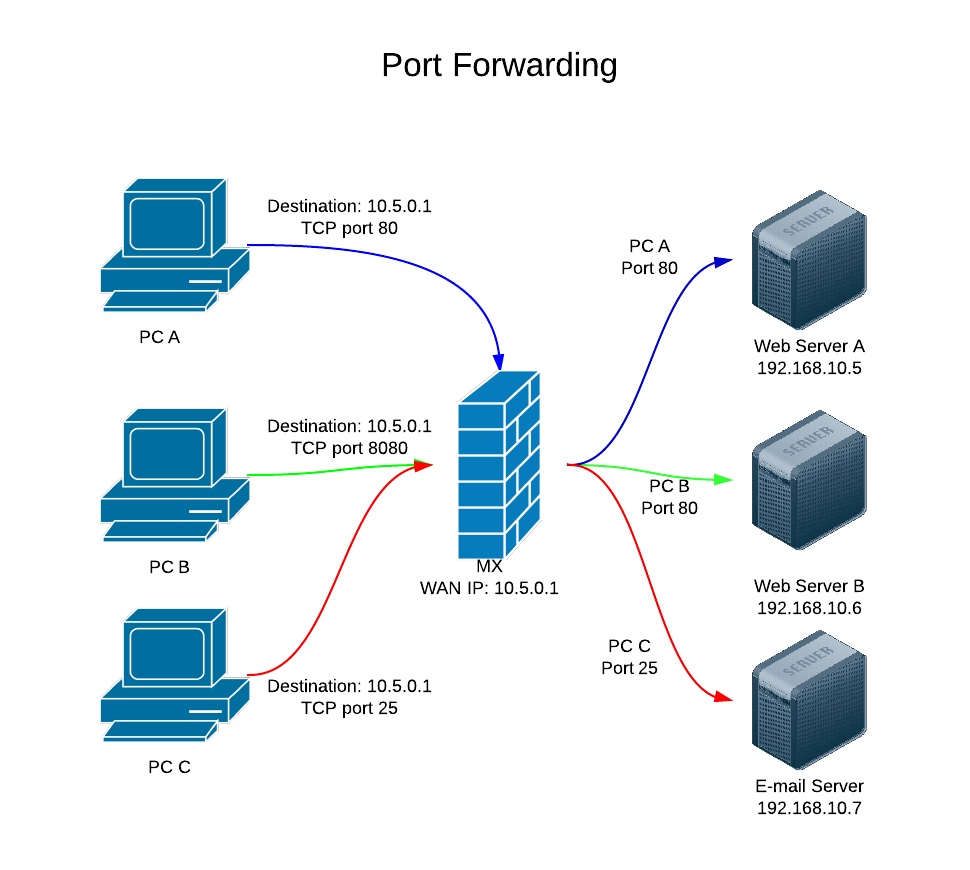
To forward port from KVM Guest to KVM Host (Node), for example, you want Port 22 of KVN Guest accessible as Port 2222 on KVM Hosts public IP address. First, shutdown VM Now edit VM config. Add following before before
On a OpenVZ Ubuntu 14.04 image, when i run locale, i get following error This is fixed by editing /etc/environment Add Now you need to log off and log in, so environment variable is set. Now run
When i create a VPS, i got error This is because OpenVZ recently started using ploop image for OpenVZ virtual machines. To fix this, edit /etc/vz/vz.conf Find Replace With Now you will be able to create VPS.
Install instructions for OpenVZ available at http://wiki.openvz.org/Quick_installation Here is what i done to install OpenVZ on CentOS 5 32 bit OS/ cd /etc/yum.repos.d wget http://download.openvz.org/openvz.repo rpm –import http://download.openvz.org/RPM-GPG-Key-OpenVZ Find if OS is 32 or 64 bit using uname -a #
I am running Apache on VMWare virtual machine running Fedora. Host machine is Windows 2003. On Fedora, i installed samba, so i can share files between Linux and Windows Host machine. Network is ok, but i could not get internet