Following tutorial describes how to install Apache MySQL and PHP on a Cent OS based server. First we need to identify the version of OS using on the server. For that, login to the server as root user and run
In my last post, i shared my experience with installing MYSQL in windows 7. During the installation I set ‘root’ as MYSQL password. Now I want to change the same to ‘hostonnet’ I followed the instructions at MYSQL Documentation http://dev.mysql.com/doc/refman/5.0/en/resetting-permissions.html

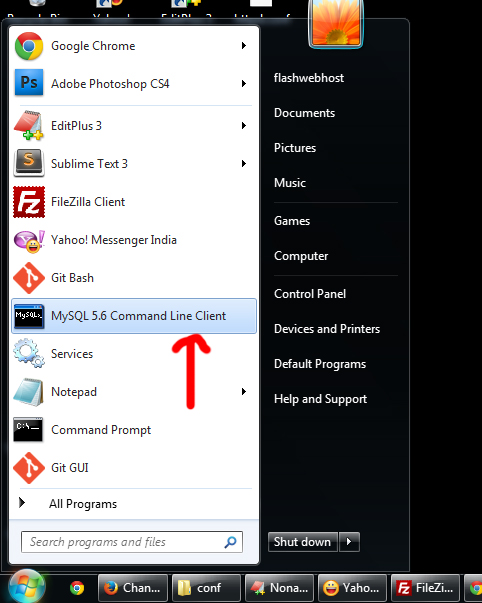
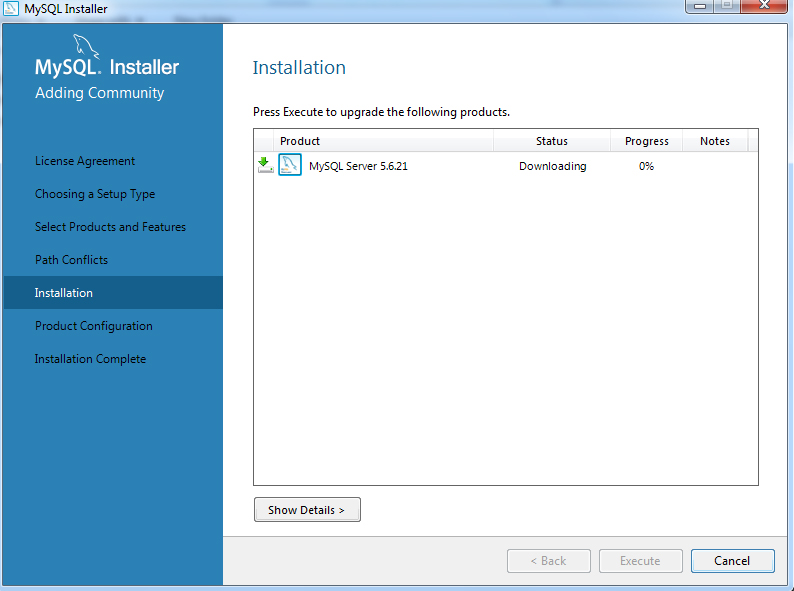
Well today I tried to install MySQL on my computer (Windows 7 Ultimate,32 bit operating system.) by using the below instructions. 1. Download the MSI Installer from http://dev.mysql.com/downloads/windows/installer/5.6.html 2 . Run the MySQL installer executable file that you had downloaded.
CentOS 7 stopped shipping MySQL as it is owned by Database company Oracle, many doubt Oracle will use MySQL to sell their Oracle Database. Now CentOS ship with MariaDB. It is created by creator of MySQL. He sold MySQL to
This tutorial will help you to install Piwigo Photo Gallery Script on your domain. A web hosting space with PHP and MySQL version 5 or above is enough to install this. You can check the server requirements here. First download
To count the current MySQL connections of a MySQL server, use this Linux command line trick. Assuming that you are already logged in as root on the Linux host where the MySQL server is running, use below command to find
To find the privileges granted to a particular MySQL account When we specify a particular MySQL account to check for privileges, use an account name constructed by user name and host name concatenated by “@”.
MySQL on a server stopped working with out any reason. This was a new server. I tried to change ownership of DB folder thinning it was some permission/ownership related error. Even after chown, still getting same error. Solution Problem was
Log into WHM and scroll down and find SQL Services or search mysql root password. In that section you will find a link to reset your root password for MySQL. WHM >> SQL Services >> Change Mysql user password or
I got following error in a PHP Application Warning: mysql_connect() [function.mysql-connect]: Host ‘server10.hosthat.com’ is blocked because of many connection errors; unblock with ‘mysqladmin flush-hosts’ in /home/hon/public_html/cp/admin/approve.php on line 6 Unable to connect to mysql server This is because MySQL server