When i install OpenBravo CRM on Ubuntu server, i get following error. This is fixed by installing “python-software-properties” package. OpenBravo is a ERP/CRM software like OpenERP (oDoo ?). OpenBravo is Java based, it need TomCat, Apache, PostgreSQL installed. On my
For Ubuntu, Debian or Linux Mint, you can just do: For Fedora, use yum command: For CentOS user, the package is available in EPEL repo. After enabling EPEL repo, simply use yum command as above. For Arch user, the package
You may want to add driver support for devices which are not recognized by the generic kernel shipped with Linux distros. You may want to optimize the kernel for your hardware, tweak performance tuning options, or turn on or off
Ubuntu Linux system maintains a local database of packages that are available from the repositories defined in /etc/apt/sources.list, or in /etc/apt/sources.list.d/. The apt package index can often become outdated as the packages contained in the repositories change, or new repositories
To count the current MySQL connections of a MySQL server, use this Linux command line trick. Assuming that you are already logged in as root on the Linux host where the MySQL server is running, use below command to find
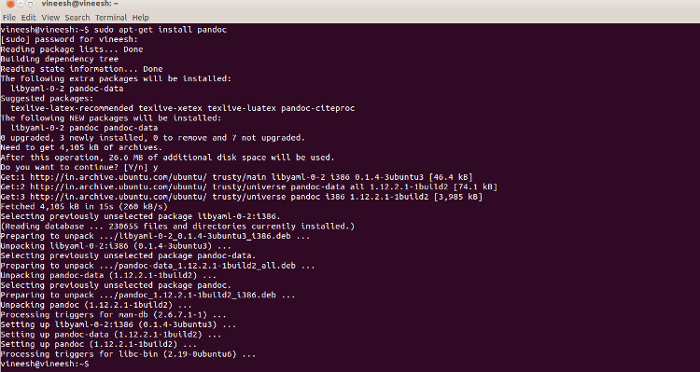
This tutorial explains how to convert a Text file into a Word document in ubuntu. For this purpose, you can use a command-line utility called pandoc, which converts from one markup format to another from the command line. First we
Skype, a Voice over IP (VOIP) software that let you make free calls over the Internet around the world is also available for Linux systems, including Ubuntu. This brief tutorial is going to show how to install Skype software in
Today i tried to run nslookup on a Ubuntu VPS It was Ubuntu 12.10 To find which package provides nslookup command, use apt-cache search We found 2 packages that is related to nslookup. First one is what we need. Second
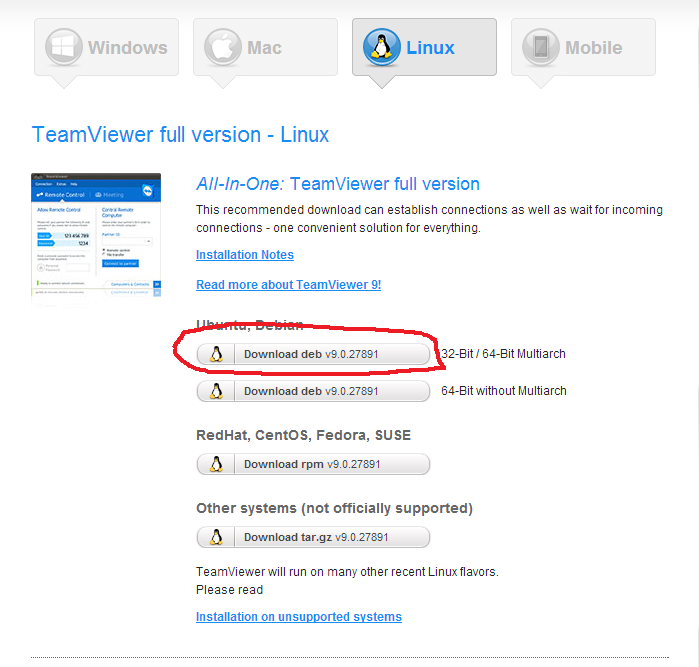
Latest Ubuntu 14.04 have something called Multiarch. That means, you can run 32 bit binary in a 64 bit OS. Atleast that is what i understand 🙂 You can read more about Multiarch at https://wiki.debian.org/Multiarch So you need to install